Model Context Protocol (MCP) is rapidly becoming the backbone of next-generation AI systems. While large language models (LLMs) are incredibly powerful, until recently they were limited by one major constraint:
AI had no reliable, standardized, secure way to access a company’s internal tools, data, or workflows.
MCP solves that problem.
It creates a universal interface between AI models and the real software systems that power your product or business. This opens the door to true automation, dynamic workflows, AI copilots, and context-aware intelligence that operates inside your unique environment - not just inside a prompt.
This guide explains MCP in detail, including:
- What MCP is (in simple + technical terms)
- Why SaaS and enterprise teams are adopting it
- Real-world use cases and case studies
- How MCP compares to direct API integrations
- Security and architecture overview
- When you should build your own MCP server
- How Invatechs helps companies design and implement MCP systems
By the end, you'll understand exactly how MCP moves AI from “just answering questions” to doing real work inside your product.
What Is the Model Context Protocol (MCP)?
The Model Context Protocol (MCP) is an open standard that allows AI models to:
- Access tools
- Retrieve resources
- Request structured data
- Run actions inside company systems
- Interact dynamically with workflows
- Perform tasks safely and repeatedly
Think of MCP as the API layer for AI, but with:
- a much safer permission system
- structured context delivery
- richer tool definitions
- support for multi-step reasoning workflows
- flexibility to integrate with anything
Where an API exposes data, MCP exposes capabilities.
The Purpose of MCP
LLMs traditionally live in “isolation”: They answer based only on the text you provide. They cannot “see” your product, your database, or your systems.
MCP breaks that isolation.
It gives AI structured access to the exact tools and resources it needs, under strict permissions, enabling:
- Autonomous workflows
- AI assistants inside your platform
- Smart automation and orchestration
- Context-aware decision making
- Real-time execution
- Intelligent copilots
This is why MCP matters so much for SaaS.
Why AI Needed MCP (The Limitations Before MCP)
AI integration before MCP was clunky, fragile, and risky.
1. LLMs had no built-in way to interact with tools
Developers created one-off hacks:
- LangChain agents
- Custom prompt templates
- Proprietary tool formats
- Ad-hoc API calls
Nothing standardised → poor reliability.
2. Prompts were fragile
Small changes in user input could break the system.
Agents hallucinated. Workflows derailed. Permissions were unclear.
3. No consistent permission model
Giving AI access to internal APIs was risky.
Companies used:
- Prompt-based instructions
- Informal constraints
- Complex filtering
Still, inconsistencies remained.
4. Zero interoperability
Every company reinvented the wheel.
Now? A unified standard exists.
How MCP Works (High-Level Overview)
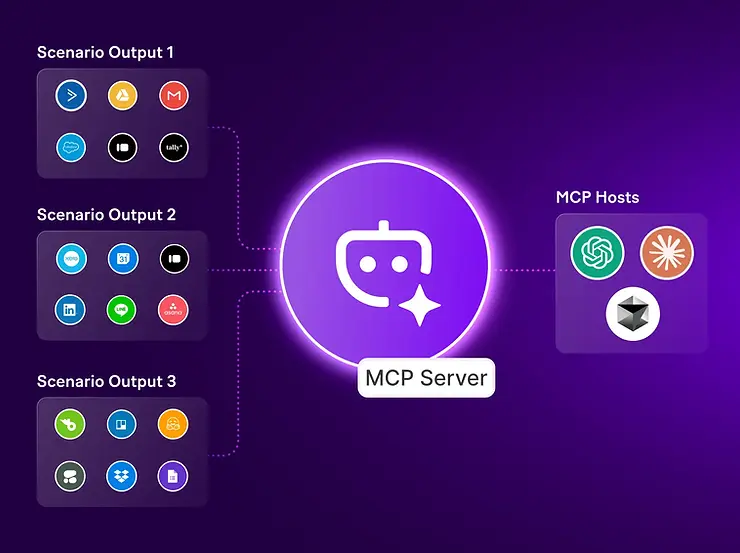
MCP defines a structured way for AI models to communicate with external systems through:
1. Tools
Functions or actions the AI can trigger.
Example tools:
- Create ticket
- Fetch customer profile
- Update subscription plan
- Send email
- Run analysis
Each tool has:
- name
- parameters
- schema
- permissions
2. Resources
Information the AI can request.
Example resources:
- Customer dataset
- Product usage logs
- Pricing model
- Compliance checklist
- App configuration
Resources can be:
- static
- dynamic
- on-demand
3. Prompts
Reusable prompt templates that the AI can call via MCP.
This provides:
- structure
- consistency
- predictable behavior
4. Permissions
The AI model only sees the tools and resources allowed by the MCP server.
This enforces:
- safety
- minimal access
- clear governance
End-to-End MCP Workflow (Step-by-Step)
Let’s look at a typical interaction.
Scenario:
AI assistant automatically resolves a support ticket.
Step 1 – User request
User writes: “Why did my subscription increase this month?”
Step 2 – LLM analyses the request
The model determines it needs:
- user billing data
- subscription logs
- pricing changes
Step 3 – MCP interaction begins
LLM → MCP Server: “Request resource: subscription_history(user_id=123)”
MCP → LLM: Returns structured billing data.
Step 4 – LLM decides to use tools
LLM → MCP:“Call tool: generate_subscription_explanation({data})”
Tool returns:
- explanation
- pricing adjustments
- recommended actions
Step 5 – LLM composes the final user response
Now the AI can respond with real, accurate, contextual information.
Step 6 – (Optional) MCP triggers follow-up actions:
- create a ticket
- update billing
- notify support
- log the event
All in one workflow.
This solves the biggest pain in SaaS: moving from manual tasks to fully automated operations.
Real-World Use Cases of MCP for SaaS & Enterprises
MCP unlocks high-impact automation across nearly every vertical.
Here are the top use cases Invatechs is implementing today.
Use Case 1 - Automated Customer Support Workflows
AI can:
- read tickets
- retrieve system data
- find root causes
- generate responses
- update systems
- escalate only when needed
Before MCP: AI gave generic answers.
After MCP: AI interacts with your customer database, subscription engine, and support tools via MCP.
Use Case 2 - AI Copilots Inside Your SaaS Product
Turn your product into an intelligent assistant:
- onboarding copilot
- analytics copilot
- data insights copilot
- documentation copilot
- configuration assistant
Example: A marketing SaaS platform where the AI copilot analyses campaign data, suggests improvements, and updates configuration automatically.
Use Case 3 - Process Automation & Cost Reduction
Common workflows automated via MCP:
- financial reconciliations
- report generation
- compliance workflows
- audit preparation
- HR onboarding
- CRM updates
- revenue operations
These reduce up to 30–60% of the manual workload.
Use Case 4 - Intelligent Data Pipelines
AI can:
- gather distributed data
- map schemas
- clean inputs
- push data to warehouses
- monitor errors
MCP becomes the automation layer between systems.
Use Case 5 - AI Documentation Assistant
For companies with large operational complexity, MCP-enabled AI can:
- read internal resources
- summarize processes
- generate SOPs
- keep documentation updated
- provide explanations on demand
Use Case 6 - Developer Automation
AI can:
- fetch build logs
- inspect deployments
- read codebase files via resources
- suggest patches
- run tools that trigger pipelines
- generate internal engineering docs
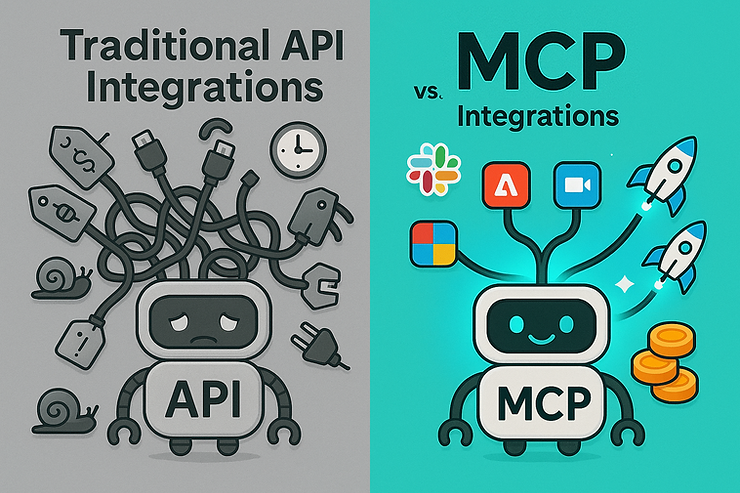
MCP vs Direct API Integrations (Why MCP Wins)
API → rigid, narrow, built for software
MCP → flexible, dynamic, built for AI
Comparison table:
| Feature | Traditional API | MCP |
| Designed for | software | AI + software |
| Access control | coarse | granular |
| Multi-step workflows | manual | built-in |
| Data structure | developer-defined | AI-friendly schema |
| AI understanding | low | high |
| Dynamic context | no | yes |
| Safe tool execution | depends | standardized |
| Standardization | none | unified protocol |
| Error handling | simple | structured |
APIs expose data. MCP exposes capabilities. Together, they become an AI-native system.
MCP Architecture (Technical Breakdown)
A production-ready MCP ecosystem typically includes:
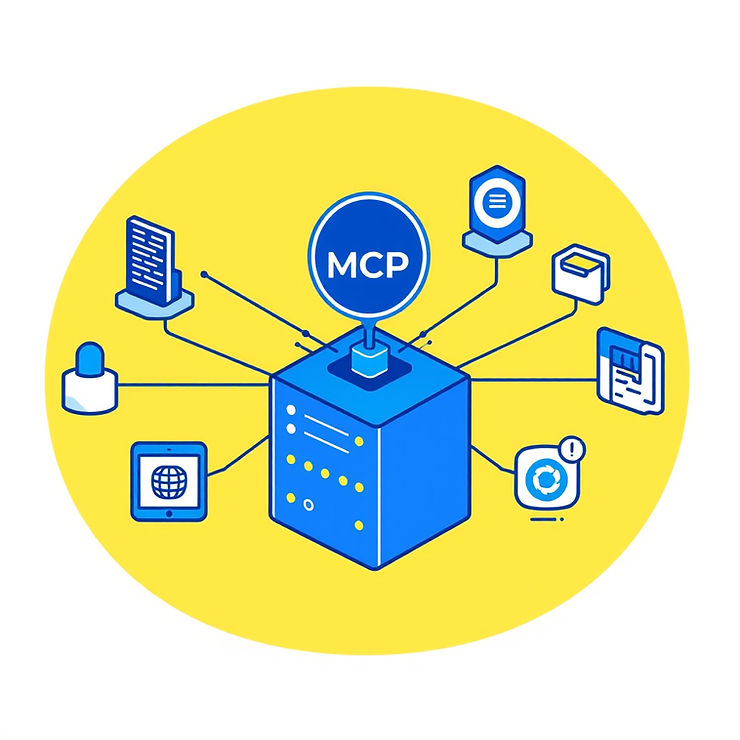
1. MCP Server
The core component that defines:
- tools
- resources
- permissions
- access rules
- schemas
2. Execution Engine
Runs tool calls and orchestrates workflows.
3. Resource Registry
Manages dynamic resources:
- databases
- cloud services
- logs
- files
- API responses
4. Permission Manager
Ensures safe AI access.
5. Observability Layer
Logs:
- tool calls
- response times
- user actions
- anomalies
6. Scaling Layer
Handles:
- caching
- batching
- parallel AI calls
- horizontal scaling
Invatechs typically deploys MCP servers on:
- AWS ECS/Fargate
- Kubernetes
- Serverless
- On-prem (banks, finance)
Security Considerations
MCP introduces structure but still requires strong security design.
Invatechs implements MCP with:
Zero-trust access
AI only sees what it’s explicitly allowed to.
Tool-level restrictions
Every tool has:
- input validation
- field constraints
- rate limits
- role-based permission
Encrypted transport
All communication is encrypted end-to-end.
Activity logging & auditing
For compliance-heavy clients.
Isolation for dangerous tools
High-risk operations run in isolated sandboxes.
Human oversight mode
Critical actions require approval.
When Should a Company Build Their Own MCP Server?
You need an MCP server if your business:
- Has internal workflows you want to automate
- Wants to add AI features to your SaaS product
- Has fragmented tools or data sources
- Needs to reduce support, ops, finance workloads
- Wants to build AI copilots
- Wants to provide AI agents to users
- Spends too much time on repetitive tasks
- Wants to unlock new AI-driven features
Based on our consulting with SaaS and enterprises, MCP is ideal when:
- You need safe, governed access to internal systems
- Your workflows cross multiple tools
- You want AI to take action - not just provide answers
- You plan to scale AI usage quickly
Most companies fall into this category.
How Invatechs Helps Companies Implement MCP
This is where we shine.
Invatechs combines AI engineering, backend development, DevOps, and system architecture to deliver production-ready MCP systems.
Invatechs provides:
1. MCP Architecture & Planning
- Workflow mapping
- Capability design
- Permission structure
- Resource modeling
2. MCP Server Development
We build:
- scalable servers
- stateful tools
- resource registries
- prompt libraries
- logging + monitoring systems
3. AI Model Integration
- OpenAI
- Anthropic
- Azure OpenAI
- Local LLMs
4. Automation Strategy
We uncover:
- manual ops bottlenecks
- repetitive tasks
- cost reduction areas
Then automate using MCP.
5. SaaS Integration
We embed MCP inside your product:
- user-facing copilots
- admin automation tools
- analytics systems
- onboarding assistants
6. Compliance & Security
Critical for finance, insurance, healthcare.
7. Long-Term Support
- monitoring
- audits
- scaling
- enhancements
Invatechs becomes your AI engineering partner, not just a contractor.
What Results Can MCP Deliver?
Companies that implement MCP typically achieve:
30–60% reduction in manual operations
(reports, admin tasks, finance workflows)
50–80% reduction in support workflows
(ticket triage, explanations, updates)
Faster feature delivery
MCP simplifies adding AI-powered product features.
20–40% cost reduction
less engineering time + fewer manual bottlenecks.
New revenue opportunities
Premium AI features
AI assistants
Automated dashboards
Should Your Business Adopt MCP Now?
If you are:
- building a SaaS platform
- modernising enterprise workflows
- reducing manual workload
- adding AI to your product
- creating internal automation
- planning AI copilots
- improving operational efficiency
Then, yes, you should adopt MCP now.
The businesses that adopt MCP early gain a massive competitive advantage in automation, user experience, and cost efficiency.
MCP Is the Missing Layer Between AI and Your Business
Until now, AI has lacked the structure required to integrate deeply into companies.
MCP changes that.
It gives organisations a safe, standardised way to allow AI to:
- retrieve context
- perform actions
- use tools
- update systems
- orchestrate workflows
This transforms AI from a “chat companion” into a real worker, capable of driving automation and delivering business impact.
Invatechs is uniquely positioned to help you design, build, and deploy a full MCP ecosystem that integrates with your SaaS or enterprise environment.
If you're exploring automation, AI features, or next-generation system intelligence - MCP is the foundation.