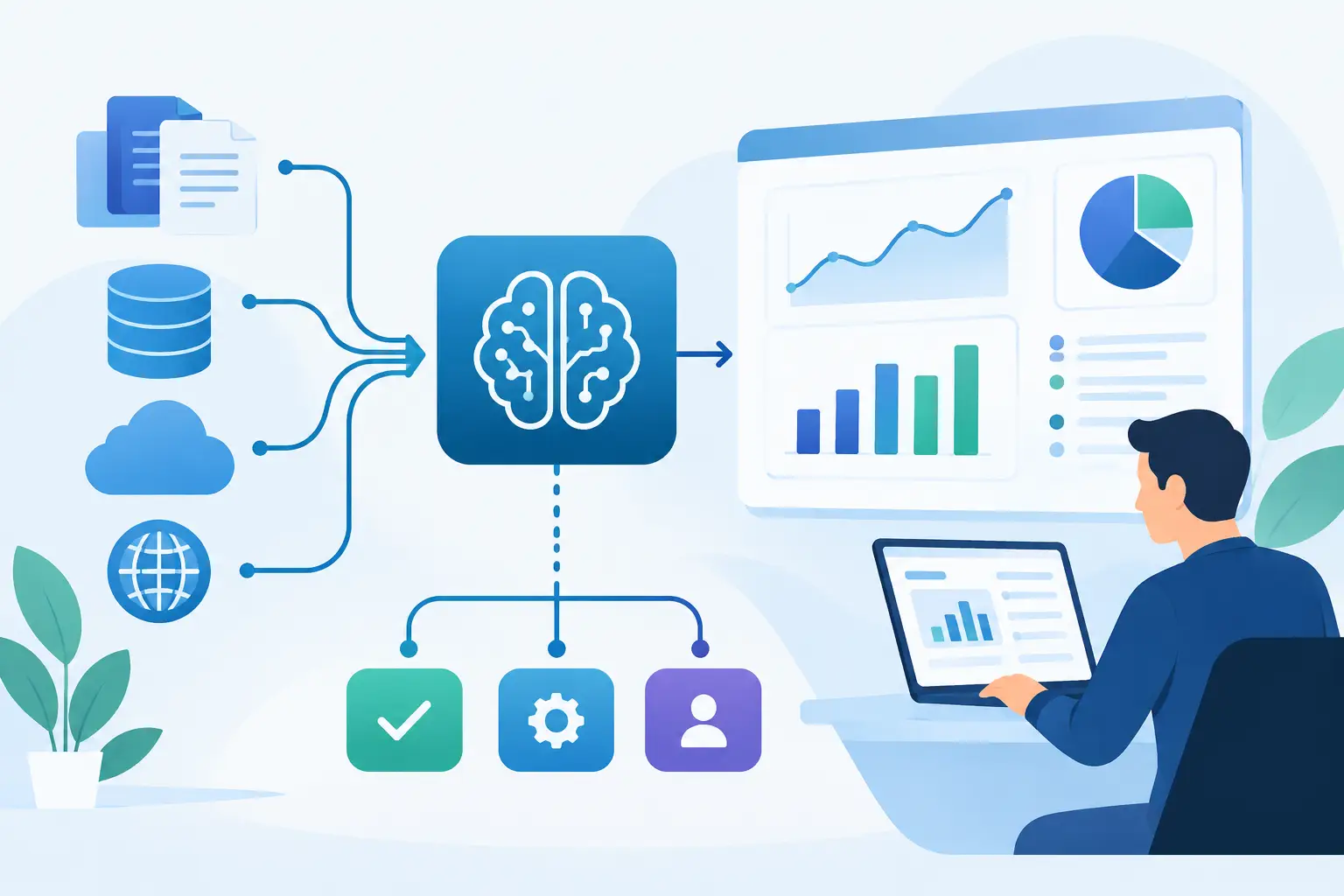
A finance analyst rekeys invoice fields from a PDF into an ERP. A support agent copies details from email into a CRM. An operations coordinator reconciles the same customer record across three systems. These tasks look minor in isolation, but they compound into delayed decisions, avoidable errors, and labor that does not move the business forward. To reduce manual data entry, companies need to fix the path data takes through their operations, not simply add another form or automation tool.
The best results come from treating data entry as an architecture and workflow problem. The objective is not to eliminate human involvement everywhere. It is to automate repetitive capture, validation, routing, and synchronization while keeping people responsible for exceptions, judgment calls, and approvals.
Why Manual Data Entry Persists
Manual entry often survives because business systems were adopted at different times for different teams. Sales may work in one platform, finance in another, and customer operations in a third. When those systems do not exchange usable data, employees become the integration layer.
Document-heavy processes make the issue worse. Purchase orders, claims, applications, intake forms, contracts, and emailed spreadsheets rarely arrive in a consistent structure. A team member must read the source, decide which fields matter, enter them into a system of record, and check that the numbers are correct. This creates a slow process that is difficult to audit and costly to scale.
The cost is not limited to labor. Every copied field creates a risk of transposed numbers, duplicate records, incorrect status changes, or missed compliance data. Downstream teams then spend time correcting records, chasing approvals, and questioning reports. Automation should therefore be measured by process reliability as well as hours saved.
Map the Work Before You Automate
A common mistake is automating the most visible task without understanding the full workflow. For example, extracting invoice data from a PDF is useful, but only if the resulting record is matched to a vendor, checked against a purchase order, routed for approval, and posted to the correct finance system.
Start by tracing a transaction from intake to completion. Identify where data originates, which systems need it, who touches it, what validation rules apply, and where exceptions occur. This exposes the handoffs that create duplicate effort.
You also need a clear definition of the system of record for each entity. If both the CRM and billing platform can update a customer address, the integration needs rules for ownership, timing, and conflict resolution. Without them, automating data movement can spread bad data faster.
Prioritize workflows using three practical criteria: volume, error exposure, and business impact. High-volume processes with predictable rules are usually strong early candidates. A workflow that runs only twice a month but determines regulatory reporting may also deserve attention because the risk of an error is high. The right priority depends on the operational constraint, not on how impressive the automation appears in a demo.
Four Ways to Reduce Manual Data Entry
Connect the Systems People Already Use
API integrations can move data directly between CRMs, ERPs, accounting tools, support platforms, proprietary applications, and internal databases. A completed sales record can create an onboarding workflow. An approved order can update inventory and trigger fulfillment. A support issue can pull account context without asking an agent to search multiple screens.
Direct integration is generally more reliable than screen-based automation because it uses defined interfaces and structured data. It also supports logging, retries, permission controls, and monitoring. That said, APIs are not always complete or available. Legacy platforms, vendor restrictions, and poorly documented internal applications may require a different approach, such as secure file exchange or carefully managed browser automation.
Extract Data From Documents and Messages
AI document processing can classify incoming files, extract key fields, normalize values, and send structured outputs to the next system. This is particularly effective for invoices, applications, claims, shipping documents, statements, and forms that contain recurring information in varying layouts.
Modern language models can also identify intent and relevant details in emails, chat transcripts, and unstructured notes. An operations team might use this capability to turn an inbound request into a complete case record, assign it to the correct queue, and flag missing information.
Extraction should not mean blind acceptance. Production workflows need confidence thresholds, field-level validation, and a review queue for uncertain cases. A low-confidence tax ID or payment amount should be verified by a person before it changes a financial or customer record. This hybrid design is usually faster and safer than demanding perfect automation from the start.
Use Rules and AI Agents for Multi-Step Work
Some entry tasks are part of a larger decision process. A request may require checking account status, finding terms in a contract, validating eligibility, creating a record, and notifying the requester. Workflow automation can coordinate the predictable steps, while an AI agent can interpret unstructured inputs and retrieve relevant information from approved sources.
For these workflows, the agent should operate within tight boundaries. It needs defined tools, approved data access, clear instructions, and escalation paths. It should not independently make high-risk decisions or write to critical systems without appropriate validation.
The useful question is not whether an agent can complete a task once. It is whether it can perform consistently across real inputs, record what it did, and fail safely when information is incomplete. That is the difference between an interesting prototype and a process that operations teams can trust.
Improve the Data Capture Point
Not every solution starts with an integration. Sometimes the best way to reduce manual data entry is to collect cleaner data at the source. Customer portals, guided forms, mobile applications, barcode scanning, and prefilled fields can prevent teams from rekeying information later.
Good capture design minimizes free text where structured choices are required, validates formats before submission, and prepopulates known details. It should also be designed for the user providing the information. A form that satisfies an internal database schema but frustrates customers will create abandonment, incomplete submissions, and more follow-up work.
Build Controls Into the Automation
Automation without controls can create a faster version of the same operational problem. Every workflow that writes data should have explicit validation rules, error handling, and an audit trail.
Validation can check required fields, formatting, duplicate records, reference numbers, acceptable value ranges, and business-specific logic. A claims workflow, for example, may need to confirm policy status before creating a case. An accounts payable process may need to match invoice totals against purchase orders and receiving records.
Exception handling matters just as much. When an integration fails, a document cannot be read, or a record does not match, the work should enter a visible queue with enough context for a person to resolve it. Silent failures are expensive because they are typically discovered only when a customer, supplier, or executive asks why something was missed.
Security and compliance should be designed at the same time as the workflow. Apply least-privilege access, protect sensitive data in transit and at rest, log system actions, and set retention rules that match business and regulatory needs. For regulated processes, human approvals and traceable decision records are not optional features.
Measure the Operational Result
The most meaningful metrics extend beyond the number of tasks automated. Track cycle time from intake to completion, percentage of records processed without human touch, exception rate, correction rate, cost per transaction, and time to resolve failed cases.
Baseline these numbers before implementation. Then measure results after a pilot and again after broader deployment. This helps distinguish genuine improvement from work that has simply moved to another team or another system.
A phased rollout is usually the right delivery model. Start with a bounded workflow, use real but controlled inputs, test edge cases, and monitor outcomes. Once the team trusts the data quality and exception process, expand to adjacent workflows. Invatechs applies this approach to turn AI into working software connected to the systems where operations already happen.
Where Human Review Still Belongs
The goal is not zero-touch processing at any cost. Human review remains appropriate when a decision has legal, financial, safety, or reputational consequences. It also belongs in ambiguous cases where the source information is contradictory or incomplete.
The better model is exception-based work. Let automation handle the standard path quickly and consistently. Give experienced employees a focused queue of cases that require context, judgment, or customer communication. This improves throughput without treating expertise as an inconvenience to be removed.
Manual data entry is often a signal that a process has outgrown its current systems. Begin with one workflow that creates recurring friction, define the controls it needs, and build an automation your team can operate with confidence. The next improvement becomes much easier once the first reliable data path is in place.